


Access Your Ajira Account Quickly and Securely: A Full Guide
For job seekers in Tanzania, the Ajira Portal is the official platform for finding government and private sector job opportunities. Whether you are applying for a new position, checking application status, or updating your profile, accessing your Ajira account quickly and securely is essential. This guide will walk you through the steps to log in efficiently while keeping your account safe.
Why Secure Access Matters
Your Ajira account contains sensitive personal information, including your CV, identification details, and application history. Unauthorized access can lead to identity theft, application fraud, or loss of important data. By following best practices for login and account management, you ensure your information remains safe while enjoying a smooth job application process.
Step 1: Prepare Your Login Details
Before attempting to log in:
- Username: Usually your email address or phone number registered with the portal.
- Password: Ensure you have a strong, unique password that combines letters, numbers, and special characters. Avoid reusing passwords from other platforms.
- Secure Device: Use a personal computer, laptop, or smartphone that you trust. Public computers may not be secure for login.
Step 2: Access the Official Ajira Portal
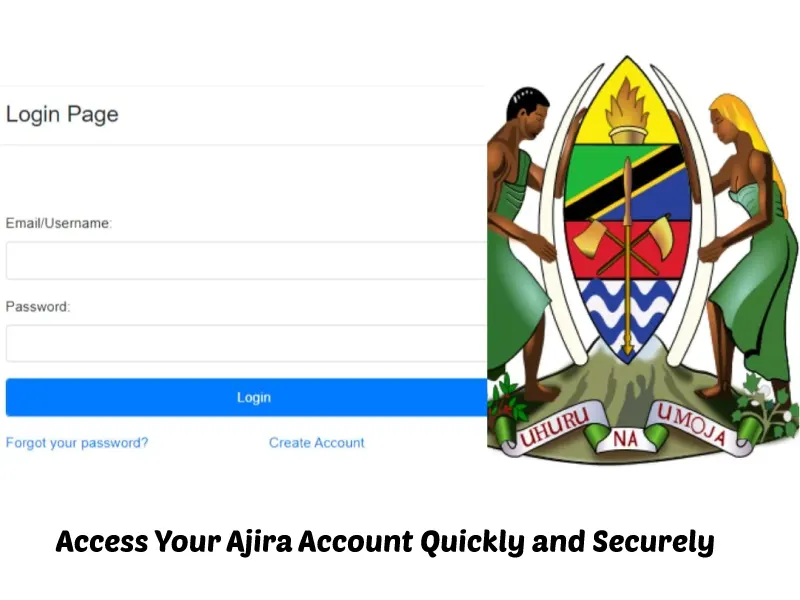
Always log in through the official website: https://ajira.go.tz/. Typing the URL directly into your browser avoids phishing sites that try to steal your credentials. Bookmark the page for easier access in the future.
Step 3: Logging In
- Open the Ajira Portal login page.
- Enter your username/email in the designated field.
- Enter your password carefully. Ensure caps lock is off and check for extra spaces.
- Complete any captcha verification if prompted.
- Click the Login button to access your dashboard.
If your login is successful, you will be directed to your personal dashboard, where you can update your profile, apply for jobs, and track your applications.
Step 4: Password Recovery
If you forget your password:
- Click on the Forgot Password link on the login page.
- Enter your registered email address or phone number.
- Follow the instructions sent via email or SMS to reset your password.
Ensure you create a new password that is different from the previous one for better security.
Step 5: Enable Additional Security Measures
To further secure your account:
- Two-Factor Authentication (2FA): If available, enable 2FA. This requires a second verification code sent to your phone or email.
- Regular Password Updates: Change your password every few months.
- Avoid Public Wi-Fi: Use trusted internet connections when logging in.
- Logout After Use: Always log out from shared or public devices.
Step 6: Troubleshooting Common Issues
- Login Errors: Clear your browser cache or try a different browser if you face login errors.
- Account Lock: Multiple failed attempts may temporarily lock your account. Wait for the cooldown period or contact support.
- Browser Compatibility: The portal works best on updated browsers like Chrome, Firefox, or Edge.
Step 7: Keep Your Information Updated
Once logged in, make sure your profile details are complete and accurate. An updated profile increases your chances of being shortlisted for jobs and allows employers to contact you quickly.
Tips to Maximize Your Ajira Portal Account for Job Applications
Using the Ajira Portal effectively goes beyond just logging in. To increase your chances of securing your dream job, you need to manage your account smartly. Start by completing your profile thoroughly—include your educational background, work experience, and skills. Recruiters often filter candidates based on these details, so missing or incomplete information can cost you opportunities.
Next, regularly update your profile and CV. Even small achievements like a new certification or completed training should be reflected. This keeps your account active and signals to employers that you are serious about your career.
Another essential tip is to set up job alerts. Many government and private sector positions are posted daily, and the portal allows you to receive notifications based on your preferences. By enabling alerts, you will be among the first to apply, giving you a competitive advantage.
Organize your applications efficiently. Keep track of the positions you’ve applied for, deadlines, and follow-up actions. This will prevent missed opportunities and show professionalism when interacting with potential employers.
Lastly, always prioritize security. Avoid sharing your login credentials, and use strong, unique passwords for your account. Consider enabling any additional verification features offered by the portal to keep your data safe.
By combining these strategies, you can maximize the effectiveness of your Ajira account, improve your job search efficiency, and increase the likelihood of landing interviews.
Top Questions About Accessing Your Ajira Account Safely
1. How do I log in to my Ajira Portal account?
To log in, visit the official Ajira Portal website https://ajira.go.tz/, enter your registered username or email, type your password, complete any captcha if prompted, and click Login.
2. What should I do if I forget my password?
Click the Forgot Password link on the login page. Enter your registered email or phone number, then follow the instructions sent via email or SMS to reset your password.
3. Can I access my Ajira account on my smartphone?
Yes, the Ajira Portal is mobile-friendly. You can log in using your smartphone or tablet by opening the portal in your browser and following the standard login steps.
4. How can I make my Ajira account more secure?
Use a strong, unique password with letters, numbers, and symbols. Avoid public Wi-Fi when logging in, log out after use, and enable any two-factor authentication or verification features provided by the portal.
5. Why is my Ajira login not working?
Login issues can occur due to incorrect passwords, browser cache problems, or multiple failed attempts. Try clearing your cache, checking your credentials, or using another browser. If problems persist, contact Ajira support.
6. How do I recover my username?
If you forget your username, check your email inbox for registration confirmation emails from Ajira Portal. You can also contact Ajira support with your registered phone number or email to retrieve your username.
7. Can I log in from multiple devices?
Yes, you can log in from multiple personal devices, but always ensure each device is secure. Avoid logging in on public or shared computers to protect your personal information.
8. How do I update my profile after logging in?
Once logged in, go to your Profile or Account Settings section. Update your personal information, educational background, work experience, and skills to keep your account current and attractive to employers.
9. What should I do if my account is temporarily locked?
Multiple failed login attempts may temporarily lock your account. Wait for the cooldown period, then try again. If you need immediate access, contact Ajira Portal support to unlock your account.
10. How can I track my job applications on Ajira Portal?
After logging in, go to your Dashboard or Applications section. Here you can see all submitted applications, their status, and upcoming deadlines to stay organized and follow up on opportunities efficiently.
Conclusion
Accessing your Ajira account quickly and securely is essential for a smooth job search experience. By following this guide—preparing your login credentials, using secure devices, enabling extra security measures, and keeping your profile updated—you can ensure safe access while staying efficient in applying for jobs.
Your Ajira Portal account is your gateway to career opportunities—treat it with care and log in safely every time.